
 24 min read 23rd Jun 2026
Do you find keeping audiences engaged during presentations daunting? Worried people will switch off, or forget your message the moment you leave the room?
Learning how to make a presentation interactive is one of the best ways to connect with your audience and avoid “death by PowerPoint”. Instead of talking at people, interactive presentations get audiences involved, focused, and genuinely interested in what you’re saying.
In this guide, we’ll share 15 proven ways to make your presentation more interactive and keep your audience engaged from start to finish – based on our 20+ years coaching public speakers at Body Talk.

What is an interactive presentation?
An interactive presentation is designed to encourage active participation from the audience. Instead of relying on a one-way flow of information like a traditional presentation, interactive presentations create two-way communication between the speaker and the audience.
Interactive presentations are often more memorable because audiences feel like part of the experience rather than passive listeners.
What makes a presentation interactive?
To make an interactive presentation, you don’t need complicated technology. Some of the most effective techniques only require yourself: storytelling or inviting questions from the audience can both make a presentation feel more engaging.

Why audience engagement is important in presentations?
When you’ve worked hard on a presentation, there’s nothing worse than watching people slowly tune out as you talk. Let’s go into why audience interaction can help you to maintain engagement as you give your presentation.
How audience interaction improves retention?
The idea that people learn more effectively through active involvement is often related to the “learning pyramid”, which suggests that retention tends to be lower in lectures (around 5%), higher in demonstrations (around 50%), and highest when people are actively practising or doing (around 75%).
It’s important to note that this model has been criticised due to a lack of empirical evidence. If you look back on your own experiences, you might find that lectures have been very memorable to you – many of us today learn through podcasts, which don’t include any interaction.
Think about the difference, though, if you had the opportunity to ask that person questions about their subject matter. You’ve now gained control over your own learning, and the speaker has addressed you personally – not just the whole room. Equally, think about how much you’d remember a presentation you sat and listened to, compared to one where you were on your feet and laughing.
Presentations without any audience interaction can be very strong, but making your audience active participants can absolutely make them stronger.
15 ways to make a presentation interactive
Let’s go through how you can create interactive presentations to connect your audience more closely with your content.
Here are 15 interactive presentation ideas:
1. Start strong
The opening moments of your presentation set the tone for everything that follows, so it’s important to get your audience thinking straight away and feeling involved from the outset.
One of the simplest ways to do this is by asking a rhetorical question that immediately frames the topic in a relatable way. For example, “Have you ever sat through a presentation and realised you’ve stopped listening after the first five minutes?” This encourages people to reflect on their own experience and mentally engage with your message.
For more opening techniques, read our guide on how to start a presentation for ten ways to get your audience engaged quickly.
2. Invite questions
Inviting the audience to ask questions is a simple but effective way to create more involvement during your presentation. You may be worried that no one is going to ask you a question, especially if the room is quiet at the start. One way to help with this is to set expectations early on by telling your audience members at the beginning that there will be a dedicated time for questions. You can then bring this in halfway through or save it for the end, depending on the flow of your presentation.
You can also encourage participation by opening the door with phrases like “I often get asked this question…”, which helps get the conversation started and gives people the confidence to follow up with their own questions.
If you’re worried about not knowing how to answer everything on the spot, it can help to prepare responses to a few common audience questions in advance. And remember, it’s completely fine to invite audience members to continue the conversation with you afterwards if something comes up that needs a bit more time or detail.
3. Use storytelling
Using storytelling in your presentations is one of the most effective ways to communicate information. Instead of presenting facts in isolation, stories give your audience a way to follow ideas.
You can begin by naming a challenge your audience will recognise – something from their everyday work or situation, such as struggling to keep attention in meetings, dealing with disengaged teams, or trying to communicate ideas more clearly. This helps people see themselves in the story straight away.
From there, you position yourself as the mentor: the guide who offers insight, tools, or strategies to help them move forward. Rather than simply explaining a concept, you’re taking them on a journey from a current challenge to a more confident, effective way of working.
4. Include practical audience exercises
One of the most effective ways to make a presentation interactive is to get audience members physically involved in what you’re talking about. At Body Talk, we have people on their feet practising the exact body language or communication techniques we’re discussing in real time. Instead of just hearing about a concept, they get to experience it for themselves.
The key is to keep these exercises simple and low-pressure. When done well, they feel like a natural part of the presentation rather than a test.
5. Demonstrations
When you demonstrate a concept in real time, it becomes far easier for your audience to understand what you mean and how it applies in practice.
To make this more interactive, involve your audience in the demonstration. For example, you might ask them to compare two approaches in real time, respond to a scenario, or suggest how they would handle a situation before you show your version. Even simple prompts like “what do you think happens if we do it this way?” can make a demonstration more interactive.
6. Encourage audience discussion
Instead of keeping all interaction between you and individual audience members, you can create short moments where people discuss ideas in pairs or small groups.
These conversations also help audience members process what they’ve just heard in a more active way, rather than simply moving on to the next slide or point. You may also find that more questions come up afterwards, as people have had time to reflect and explore ideas together.
7. Use humour to lighten the mood
Humour is a simple way to make your presentation feel more human and relatable. It also adds a natural layer of audience interaction – when people laugh together, they’re responding in real time, which helps build connection in the room.
Barack Obama is a great example of a speaker who uses humour to connect to his audience and then switches to a more serious tone. In this video with student journalists, he opens with a light-hearted line: “I hear there are some hotshot journalists here,” likely acknowledging that the students might feel intimidated by his presence. Later, he transitions into a more serious discussion about voting in elections. Because he’s already established rapport through humour, it’s easier for him to keep his audience’s attention and motivate them to act.
8. Use live polls
Polling is a quick and effective way to bring your audience into the presentation and get them thinking actively about your topic. The simplest method is a show of hands, which works well for fast, informal feedback and keeps things moving in real time.
You can also use presentation software that allows audience members to vote or respond using their phones. A popular option is Mentimeter, where attendees can type in answers and see them appear live on the host screen. This not only makes the responses more visual but also allows you to display results in charts, graphs, or other engaging formats.
9. Invite volunteers to participate
This could be as simple as asking someone to help demonstrate a technique or take part in a short exercise that illustrates your message.
For example, if you’re talking about communication skills, you might invite a volunteer to come to the front and demonstrate posture and body language in a conversation. You could first show a “closed” stance (arms folded, minimal eye contact), then ask the volunteer to try a “more open” stance, and ask the audience what differences they notice in how the message comes across. This makes the concept instantly more tangible for everyone watching.
10. Use props and physical objects
Props and physical objects are a simple but highly effective way to make a presentation more interactive because they turn ideas into something the audience can see, interpret, and respond to in real time. Instead of passively listening to an explanation, audience members are invited to make sense of what’s in front of them.
A strong example of this is Andy Puddicombe’s TED talk on mindfulness, where he uses juggling as a physical analogy. As he juggles, he explains how if he focuses too much on the balls, he’ll find it difficult to keep speaking at the same time. Similarly, if he focuses too much on speaking, he’ll find it difficult to keep juggling the balls. He likens this to becoming too alert and uptight in your own mind, vs. becoming too relaxed and struggling to focus. This emphasises his point that the ideal middle ground is a “relaxed focus.”
11. Share something your audience can relate to
When you show vulnerability – by talking about a challenge you’ve faced or a mistake you’ve made – audience members see themselves in your story.
If you were giving an example on time management, for example, you might start by admitting, “I used to constantly underestimate how long tasks would take. I’d end up working late and feeling frustrated. It took me years to figure out a system that worked for me.” This vulnerability immediately makes you relatable – audience members who have struggled with the same problem will see themselves in your story.
12. Improve your delivery and body language
Eye contact and confident stage presence also play an important role in audience engagement. Looking around the room and connecting with different audience members helps people feel acknowledged and included, while a relaxed, upright posture communicates confidence and encourages the audience to trust and follow your message.
A great way to improve your own delivery is to watch experienced speakers and take note of how they keep their audience engaged through body language. Notice how they move around the stage, make eye contact, and interact with the room.
If you want to master this, head to our blog on body language in presentations. We break down everything you need to know, from the most effective hand gestures to common mistakes most presenters make.
13. Use a thought exercise
Thought exercises are a good way to get your audience mentally involved without leaving their seats. Instead of just listening, you guide them to pause and imagine scenarios that relate directly to your topic.
For example, you might say:
“Think about a challenge you’ve faced, something you really needed to get right. You might’ve imagined a lot of things going wrong – worrying about outcomes or potential mistakes. And the more you focus on those, the more your brain starts to believe they’re likely to happen. But you can do this the other way around, too.
Imagine the same scenario going perfectly. If you were giving a speech, for example, this could include leaving your house, driving to the venue, entering the building, waiting to give your speech, walking onto the stage, etc.
Take a minute to try this now.
(Pause)
Sometimes you might go to do this and find your brain doesn’t even want to think about it. That’s because, to your brain, it feels like this situation you’ve been dreading is actually happening.
But this is also exactly why it works. You’re giving your brain a “positive experience” – making the real thing feel less daunting when the time comes for you to do it.”
14. Break up long sections with interaction
Long stretches of talking can make it harder for your audience to absorb information. When planning your presentation, think about the points where your audience might need a mental break or where a concept could benefit from extra clarity. These are the moments to build in interaction – short activities, questions, or discussions that give people a pause from just listening and help reinforce your message.
15. Use interactive presentation tools
Interactive tools can turn a presentation from a one-way information dump into a genuine conversation. They help audiences stay engaged, contribute ideas, and feel part of the experience rather than simply observing it.
If you want to encourage audience participation in an online presentation, you might consider some of these interactive presentation tools:
- One of our favourite tools at Body Talk is Menti. It allows you to create live polls, word clouds, quizzes, Q&As, and audience voting in real time. It’s a simple but effective way to increase participation, check understanding, and energise a room, whether you’re presenting virtually or in person.
- Microsoft PowerPoint also has a feature called PowerPoint Live, which lets you present directly within Microsoft Teams instead of simply sharing your screen. You can see chat messages, audience reactions, and raised hands, while your audience can interact with slides independently using translations, screen readers, or clickable links.
- Google Slides offers interactive features too, including clickable navigation buttons, embedded videos, and live collaboration tools that make sessions feel more dynamic and flexible.
- Other popular tools include Slido for audience Q&As and polling, Kahoot! for gamified quizzes and competitions, and Miro for collaborative workshops where participants can brainstorm and share ideas visually in real time.
The key is not to use technology for the sake of it. The best interactive tools support the conversation you want to create and make your audience feel involved throughout the presentation. Our advice is to only use interactive tools where they make sense.

How to keep virtual presentations interactive?
With some thought and planning, you can make virtual sessions just as interactive and memorable as in-person ones.
Engaging remote audiences effectively
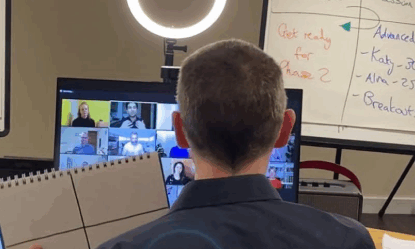
Engaging a remote audience can be more challenging because your view of them is limited, and it’s harder to gauge reactions. However, many of the same principles apply: use storytelling, be relatable, and invite your audience to speak or share ideas.
Body language, gestures, facial expressions, and vocal variety still make a difference. We see this in voice acting all the time, when the audience can’t even see you, but they can literally hear the difference in your voice when you’re gesturing. Whether you’re presenting on Microsoft Teams or another platform, being expressive and dynamic keeps your audience connected to you and your content.
Common reasons presentations lose audience attention
These are some of the most common reasons public speakers struggle to hold their audience’s attention:
- Nerves can affect how you come across, sometimes leading to a flatter voice, rushed delivery, or distracting habits like fidgeting.
- It’s easy to get caught up in what you want to say, rather than what your audience needs to hear and why it matters to them. Make sure that, however you add interaction to your presentation, it makes sense and adds to the overall theme of what your audience needs from you.
- Busy or overcrowded slides can pull attention away from the speaker. Keep your slides concise, and only add text or images if they add value.

Deliver presentations that drive results with science-backed techniques
Want audiences to not just listen, but act? Our CPD-certified courses teach you exactly what works, using techniques based in behavioural psychology.
With training tailored to your challenges, you’ll master your voice, body language, and content structure to drive results.
What can you expect from our coaches? Energy, real-world expertise, and a true passion for the science of communication.
Find the right presentation skills training course for you, and gain skills you can use immediately.
Frequently asked questions
We’ve answered your most frequently asked questions below.
How do I make a presentation more interactive?
Making interactive presentations is about moving beyond a one-way lecture and creating moments where your audience can engage with your content. Start by thinking about what makes sense for your audience: would an interactive question or a quick poll help them reflect on your points?
For virtual presentations, you could use interactive slides or other tools to gather audience input directly, keeping people involved and thinking actively throughout.
How can I engage a bored audience?
If you notice your audiences tend to drift when you’re giving presentations, the key is to start with your presentation skills. Strong storytelling, confident body language, and a clear, expressive vocal tone can immediately draw people in and hold their attention.
While presentation design and visually engaging slides can support your talk, they should never replace effective delivery. Even the most polished slides can’t compensate if your message isn’t conveyed with energy and clarity.
Instead of relying on text-heavy informative slides, focus on presenting your ideas in a memorable way.
How long should an interactive presentation be?
An interactive presentation is most effective when it’s concise and focused, usually between 20-45 minutes. When planning, think about how much time you’ll need for each interactive component, including exercises, polls, or discussions.
If you’re delivering a speech, your presentation might be closer to 15–20 minutes, while a business meeting or workshop could run 30–45 minutes. Use audience feedback from past presentations to help guide your timing.
The key is not simply filling the allotted time, but to make sure you really have something to say, and that your entire presentation reflects this. When you plan carefully, you can create presentations that are engaging, interactive, and memorable from start to finish.
Should you use interactive presentation tools?
You might be tempted to add every interactive feature available in online presentation software – quizzes, polls, clickable slides, animations. These can be great when used thoughtfully, but keep it relevant.
Advanced features like interactive quizzes or live polls work best when they reinforce your points. Avoid overloading slides with complex animations or elements that don’t support your message – they can distract your audience rather than engage them. Only add interactive elements that help people to reflect and respond.














 Back
Back